


Walking Without Unlocking the Screen: Building Satori for Unhurried Voice Notes
On this page (3 sections)
Have you ever noticed what happens to a quiet evening walk the moment you unlock your phone? You reach into your pocket with one honest intention — capturing a two-sentence thought before it slips away — and thirty seconds later you are standing on the pavement staring at unread badges, messages, and someone else's urgency. Your attention was wide open, and the screen closed right around it.
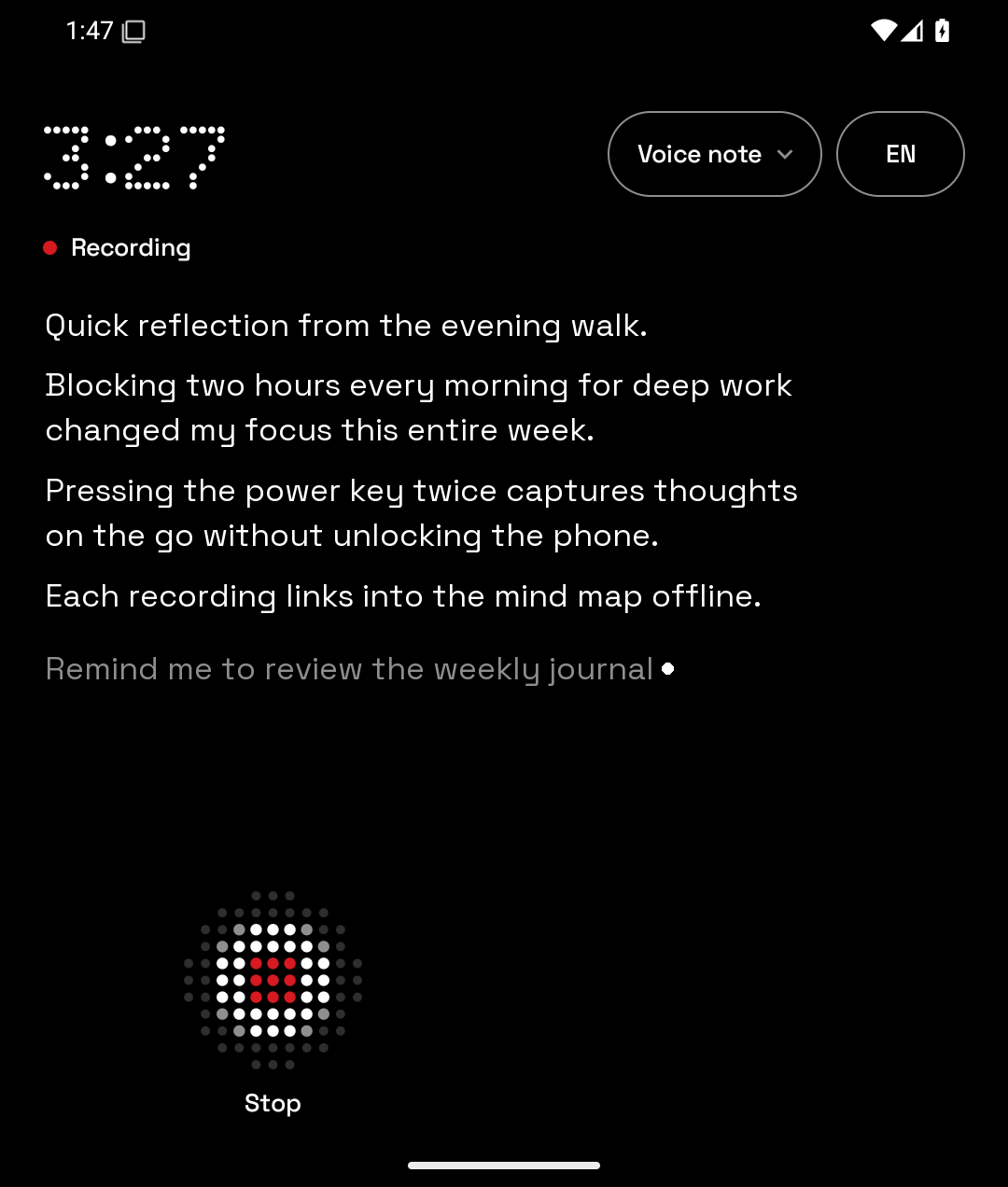
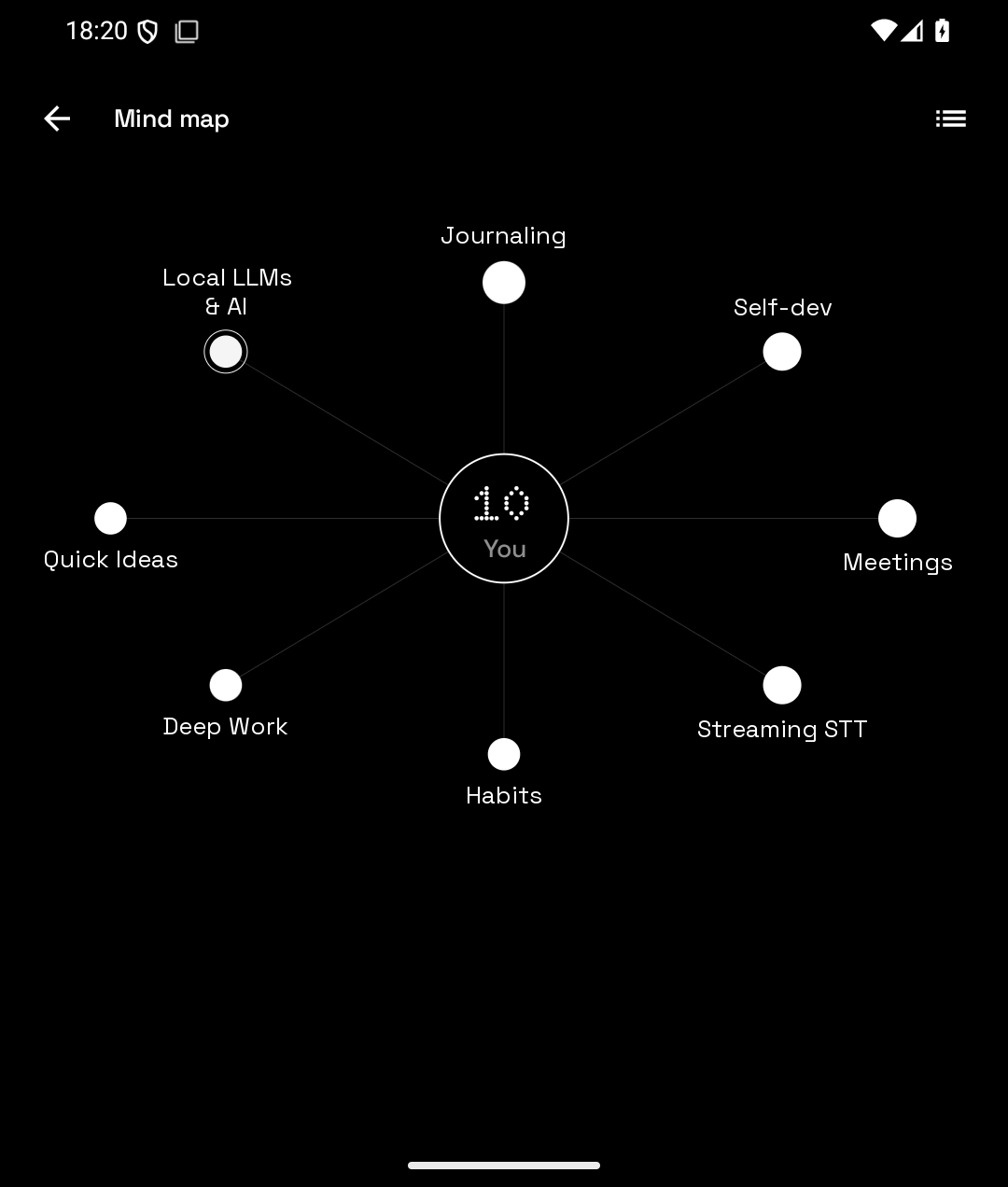
That tiny everyday friction is why Satori exists. I wanted to double-press the physical power button on a folded phone without ever opening it, speak naturally in English, German, or Malayalam while keeping my eyes on the trees, and let the device quietly transcribe, organize notes, and link recurring themes completely offline in airplane mode.
Thought Process: Catching the Thought Without Disturbing the Mind#
In Zen and Taoist practice, there is a gentle distinction between forcing concentration and simply not stirring up unnecessary ripples. Most "AI note-taking" apps stir up everything: they stream your private half-formed thoughts to a cloud server, charge a monthly rent for your own journal, and surround a microphone button with feeds and prompts.
To make Satori feel like an unhurried pocket notebook across eight iterative releases (v0.1 through v0.8, 10 Gradle modules, and 13 Room schema migrations), every architectural choice had to bow to immediacy:
- Capture comes first, models come second: Pressing the power key twice wakes
QuickKeyActivitystraight over the lock screen (displayId = 1, keeping controls clear of the232 pxcamera cutout whether held upright or flipped).AudioRecord(16 kHzmono PCM) opens in milliseconds behind an in-memory ring buffer, preempting any background inference (GatedAiWork) so the mic never stutters. - Everything stays on the phone: Live speech recognition runs on
sherpa-onnx(NVIDIA Parakeet TDT 0.6B v3for English and German,AI4Bharat IndicConformer 120Mfor Malayalam, gated bySilero VAD). Once you press Stop,llama.cpprunsGemma 3 1BorQwen 3.5 0.8Bwith strictGBNFgrammar constraints to distill structured notes and link ideas into a local SQLite graph.
Three Real Bottlenecks That Humbled Us on Mobile Silicon#
Running speech recognition, neural translation, and a language model together on a pocket ARM64 CPU without draining the battery or angering Android's low-memory killer taught us plenty of humility.
Bottleneck 1: Thinking in Malayalam while running a 1B model#
When you walk alone, thoughts don't arrive in one tidy corporate language — home thoughts arrive in Malayalam (മലയാളം), work thoughts in English or German. AI4Bharat IndicConformer 120M transcribes spoken Malayalam beautifully, yet small 1B-parameter on-device language models lose coherence fast when asked to summarize raw Malayalam script directly.
How we worked with the grain: Instead of forcing a huge multi-gigabyte multilingual LLM onto a warm phone, we built a quiet two-layer bridge (:feature-reader + :lib-reader-onnx). What you see on screen stays faithfully in Malayalam script, while underneath, IndicTrans2 Distilled 200M INT8 (running on ONNX Runtime + SentencePiece) writes clean English segment_readings into Room so Gemma 3 1B can extract accurate notes, reminders, and mind-map edges without straining.
Bottleneck 2: GGUF page-fault storms choking live audio#
On Android, memory-mapping a 1.0 GB GGUF model with MAP_POPULATE causes an aggressive burst of flash I/O and kernel page faults. On tighter phones, loading weights while recording caused subtle audio buffer underruns — or triggered Android's lmkd process killer when someone switched apps.
Three small C++ patches on llama.cpp (lib-llama-android/patches/) solved it cleanly: we disabled MAP_POPULATE, throttled background weight page-in to 120 MB/s (0 MB/s whenever the microphone is open), checked /proc/meminfo MemAvailable headroom before touching heavy optional models (Gemma 4 E2B), and called madvise(MADV_PAGEOUT) immediately after finishing a note.
Bottleneck 3: Small models inventing calendar dates#
Ask a 1B model on a Tuesday evening to turn "Remind me to call Amma on Friday at 9" into an ISO timestamp, and half the time it will cheerfully invent the wrong date. Witnessing that failure made the boundary clear: never ask a probabilistic model to do deterministic arithmetic.
We wrote TodoTimeResolver and MalayalamTodoCues in pure Kotlin (:domain, zero Android dependencies) to resolve relative time phrases deterministically against the recording timestamp before passing clean T1/T2 tokens to the model — and added TodoGrounding to drop any suggested to-do whose words cannot be traced back to what you actually spoke.
Step-by-Step: Building Satori From Source and Binding the Power Key#
Everything in satori is licensed under Apache 2.0 (arm64-v8a, Android 12+ / minSdk 31).
Step 1: Clone with submodules and LFS runtime libraries#
Make sure JDK 17, Android SDK (platforms;android-35), NDK 29.0.13113456, CMake 3.31.6, and git-lfs are installed:
git clone https://github.com/TinkeringDao/satori.git
cd satori
git submodule update --init --recursive
git lfs pull
Step 2: Run the pure-Kotlin domain tests, lint, and assemble the APK#
./gradlew testDebugUnitTest lintDebug assembleDebugStep 3: Install on your phone and download on-device weights once#
adb install -r app/build/outputs/apk/debug/app-debug.apkOpen Settings -> Models and storage once on Wi-Fi to fetch Parakeet TDT 0.6B v3 and Gemma 3 1B (verified by SHA-256). After that, you can flip on airplane mode indefinitely.
Step 4: Optional — Bind double-press power key on Razr cover screen (no root)#
Grant the one-time adb permission documented in docs/QUICK_KEY.md so double-pressing the physical side key launches QuickKeyActivity straight on the folded external screen without unlocking.
A good notebook doesn't tug at your sleeve or ask for your attention. It waits quietly in your pocket, listens when you speak, and lets you stay right where your feet are.